
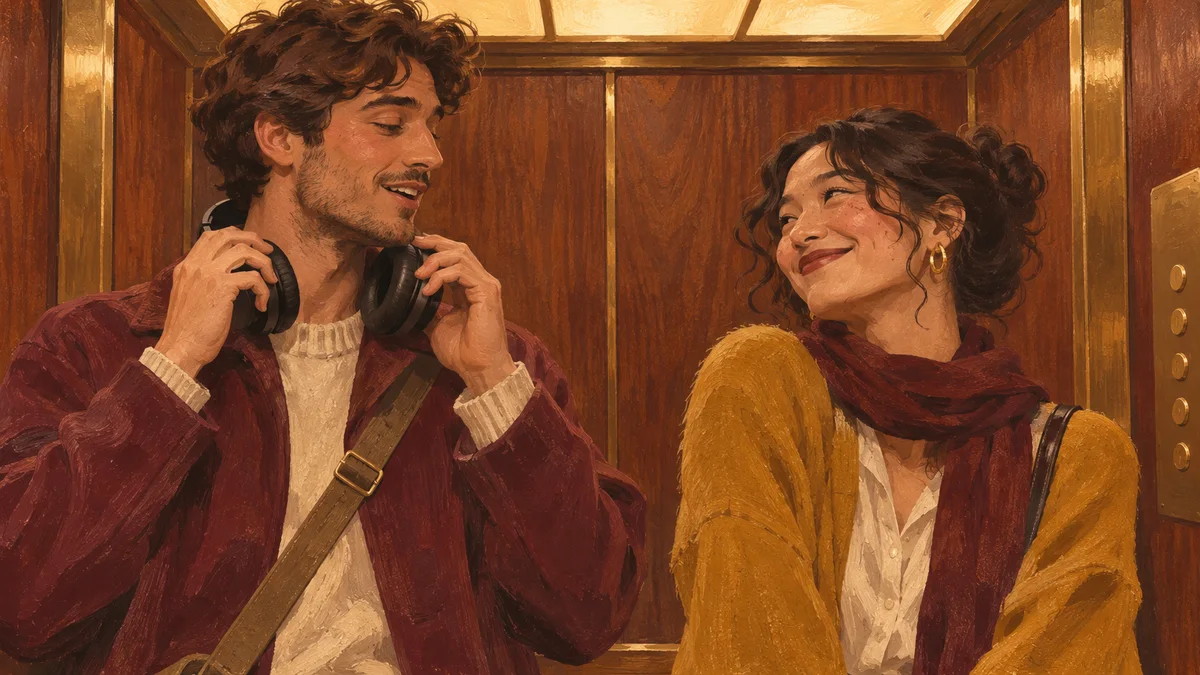
I Love The Smiths AI prepares a fixed elevator scene from two separate portraits. Photo 1 casts the headphone listener on the left, who hears a remark, takes off the headphones and turns to react. Photo 2 casts the conversation starter on the right, who notices the music and begins the exchange. The two identities should remain distinct through the head turn and the conversation.
The five steps at a glance
- Cast one clear adult portrait to each of the two ordered slots.
- Confirm permission for both adults, then choose a one-time pack and read the 150-credit cost per generation.
- Select the files and check the in-browser previews; images are sent only on submission.
- Review the opening, the headphone gesture, the head turn, the exchange, and the ending.
- Download the MP4 from the private library within 24 hours, and label synthetic media honestly when sharing.
1. Cast each side
Choose one clear adult portrait for each slot. JPG and PNG are supported, up to 10 MB per photo. A simple shoulder-up portrait shows the face, hair and shoulders; the scene supplies the headphones and the elevator.
2. Check permission and credits
Use your own photos or get permission from both adults. Generation uses 150 credits per video; one-time credit packs are available on the pricing page. Packs are one-time purchases, not a subscription, and unused credits never expire.
One video costs $7.90, three cost $19.90, and ten cost $54.90. The packs add 150, 450, and 1,500 credits respectively. Compare that balance with the 150-credit task cost before deciding whether it suits your workflow. The pricing page lists the pack prices, credit amounts, and purchase terms.
3. Prepare the photos
Selecting a file creates an in-browser preview after validating its format, size, and image decoding. The preview stays in your browser until you submit a task. Submitted photos pass through moderation and generation services. The 5–15 minute window is an estimate, not a deadline: model queues, retries and delivery processing can add time. Keep the same task open in My Videos to see its latest status rather than starting a second one. Email-code and Google account sign-in are available through Clerk.
4. Review the result
Inspect the opening, the headphone gesture, the head turn, the exchange, and the ending. Look for identity swaps, changed outfits, hands, and timing. A completed render is not a guarantee of exact likeness or a perfect headphone movement.
Review the moment the listener lowers the headphones and turns, and where the conversation moves from one person to the other. Compare the result with the two source portraits, not only with the public sample. Generated motion can alter small details such as hair, clothing, fingers, or expressions.
5. Download and share carefully
Completed results are associated with your account and available in the private video library for 24 hours. Download the MP4 promptly; the file cannot be downloaded after that window. If completion emails are enabled, a notification links you back to the finished video. Public sample clips are separate from your work.
Choose a one-time pack on the pricing page and complete payment in Stripe Checkout. Credits are added after Stripe confirms the payment. Check your account page for the updated balance.
Common questions
Are public sample clips my result?
No. The sample selector plays public example footage. It does not use the portraits selected in the generator and does not submit a task.
When are portraits sent for processing?
Draft portraits remain in this browser until submission. Submitted inputs pass through moderation and generation services. Finished videos are available in your account for 24 hours, so download the MP4 promptly. Read the privacy notice before submitting.
Where do completed videos appear?
Completed work is associated with the signed-in account and appears in the private video library. Download the MP4 within 24 hours. Public examples remain separate from account videos.
Can I change the dialogue, voice or format?
No. This template uses its fixed elevator performance and reference soundtrack. It does not record your voice, rewrite the conversation, or offer vertical output. The delivered file is a landscape HD MP4, approximately 14 seconds long.
Use cleared audio when sharing and label synthetic media honestly. Read the privacy notice and terms of service before submitting photos.
Technical references: MDN's File API reference for local file previews, Clerk's documentation for email-code and Google sign-in, and schema.org HowTo for the machine-readable version of these steps. The 10 MB limit and the 150-credit cost are taken from this site's own interface as displayed in November 2026.